
An assistant that books
for you.
Your customer writes on WhatsApp, Instagram, Facebook or your web chat. The assistant checks your real calendar, offers only free times and books the one they pick. No back-and-forth and no double bookings.
From the question to the appointment, without lifting a finger.

Set up your calendars
Define the services, durations, hours and location of each calendar. You can also dictate it to the assistant.

The assistant offers times
When someone asks for an appointment, it checks your calendar and proposes only slots that are truly free.

It books and notes everything down
The customer picks, the assistant confirms and the appointment shows up in your calendar, reminder included.
It offers what is really free.
The assistant does not guess or promise: it reads your calendar, respects your opening hours and proposes available times.
- One single confirmation. It states the service, place, duration and price when it offers the times, and asks for the name in the same message.
- It cannot make up a time. It only books times it offered itself and that are still free.
- It works on every channel: WhatsApp, Instagram, Facebook and web chat.
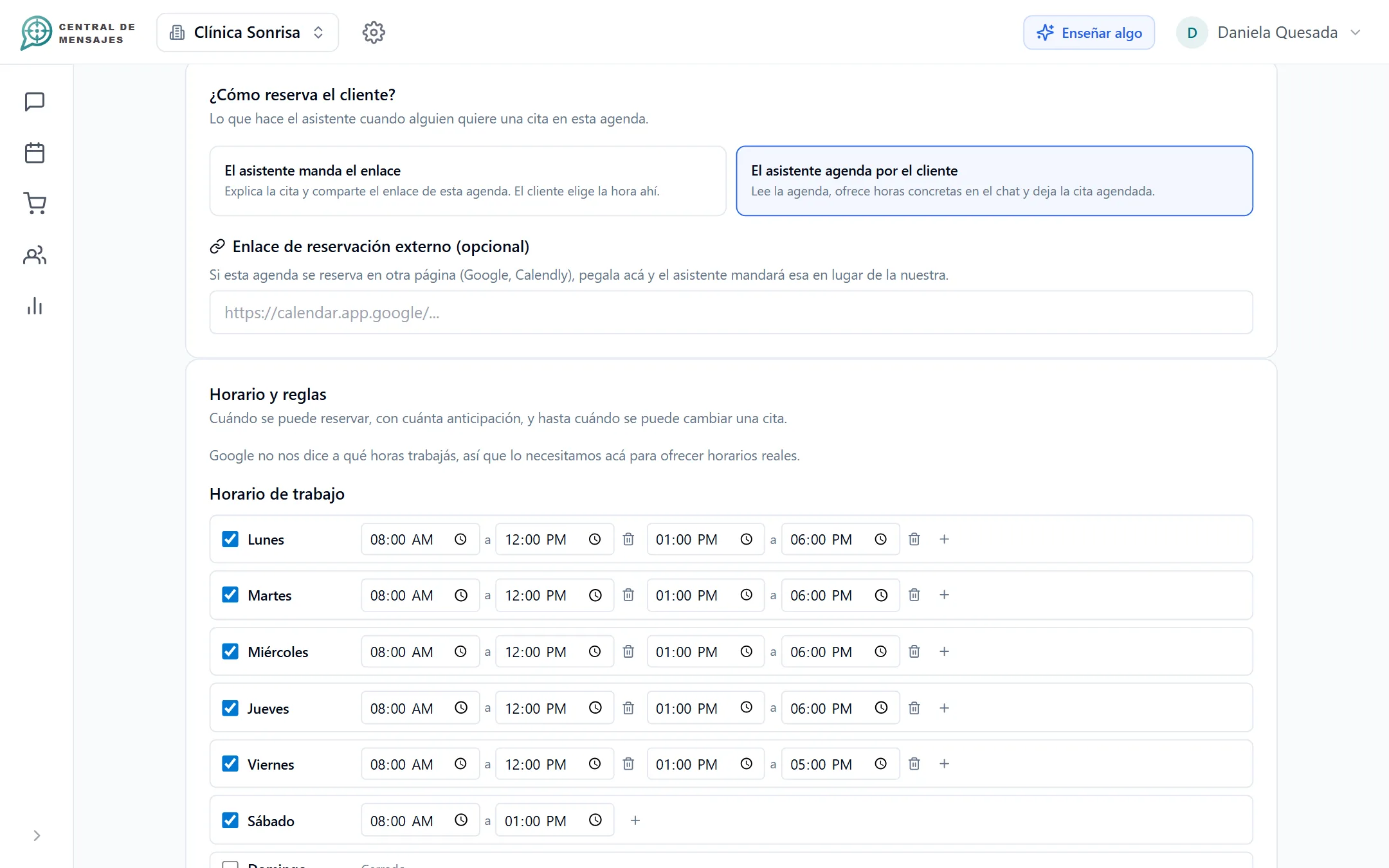
Each calendar with its own rules.
A doctor, a room, a stylist or a branch: each calendar has its own services, hours, location and reminders.
- Services with a duration and, if you want, with a price and payment.
- Exceptions such as holidays or vacations: you tell the assistant by talking to it.
- Each calendar is independent; you decide who serves what.
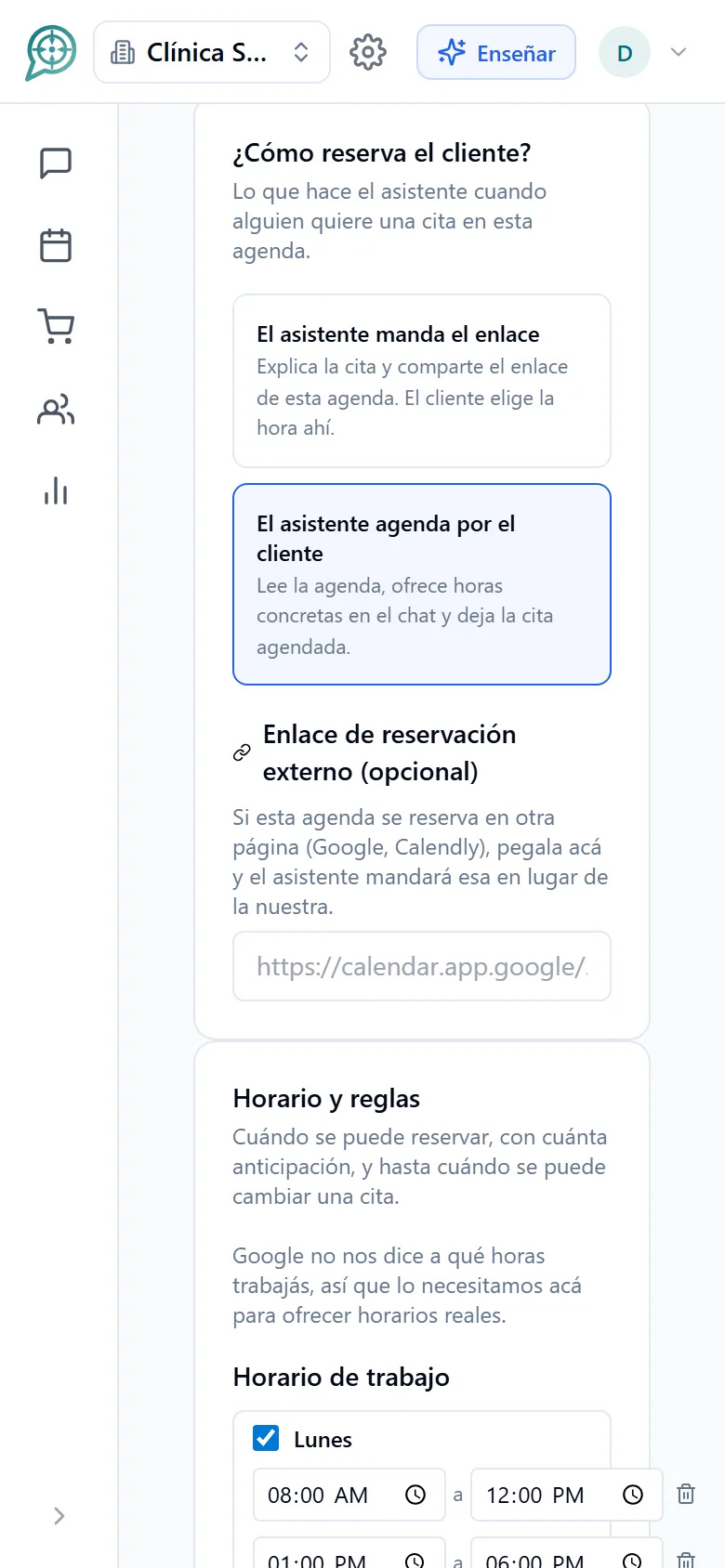
Your own calendar, or Google’s.
Central de Mensajes can be your calendar with nothing else to set up, or you can sync it with Google Calendar if you already use it.
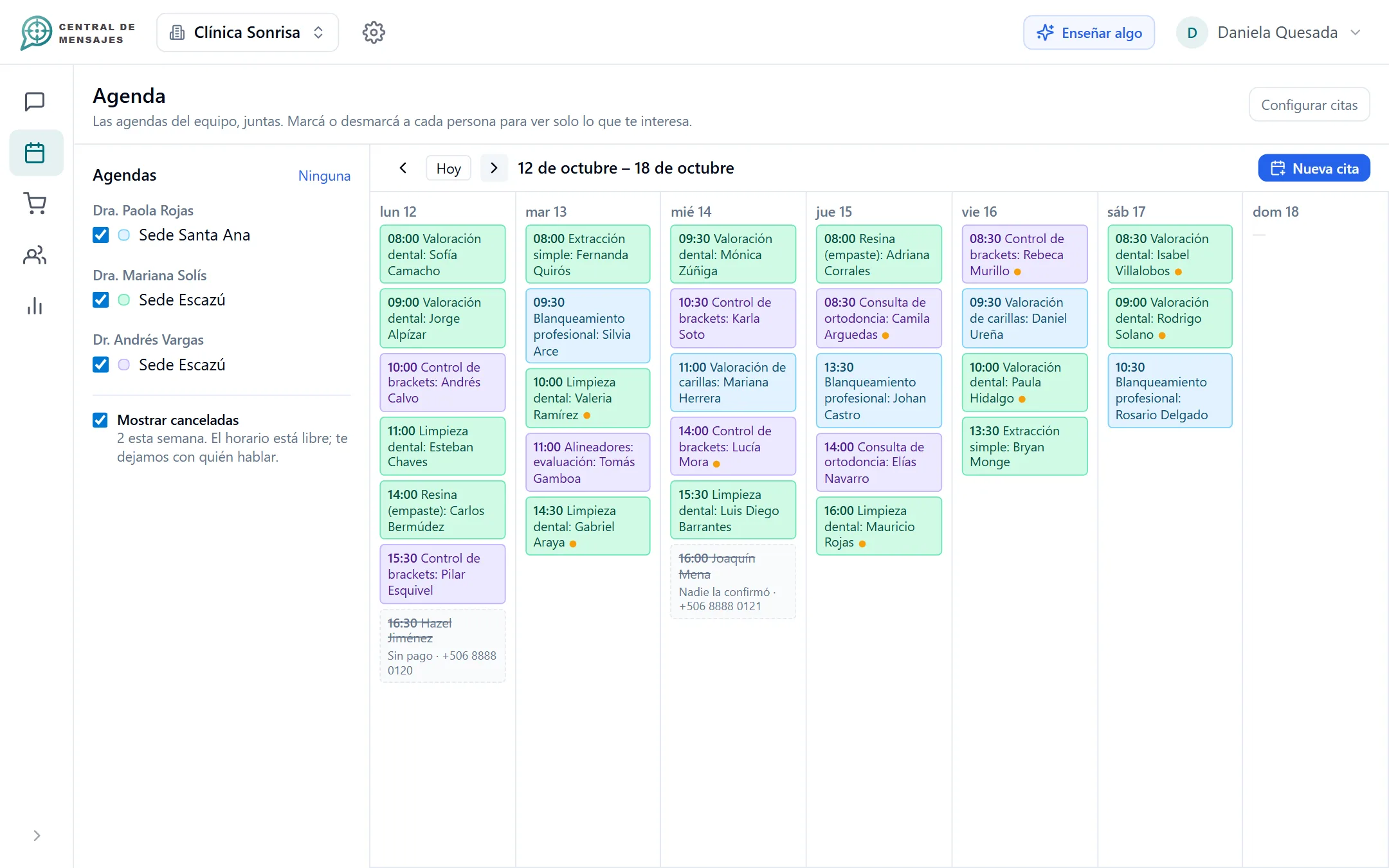
- Calendar view with confirmed, to-be-confirmed and to-be-paid appointments.
- Released appointments stay visible, crossed out, so you know what happened.
- Your team can also book by hand on a customer’s behalf.
- Moving or canceling an appointment is decided by a person on your team, and the customer gets the notice in their conversation.
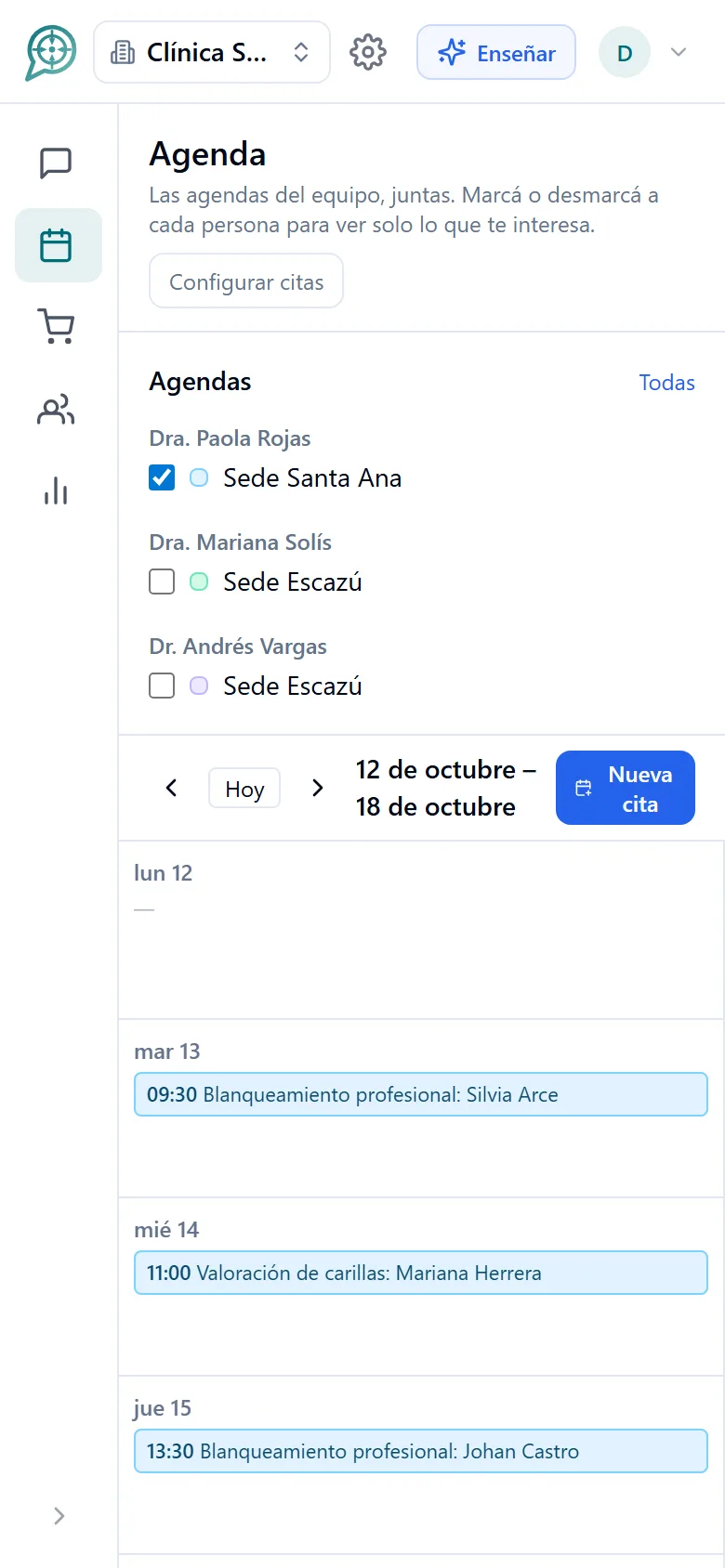
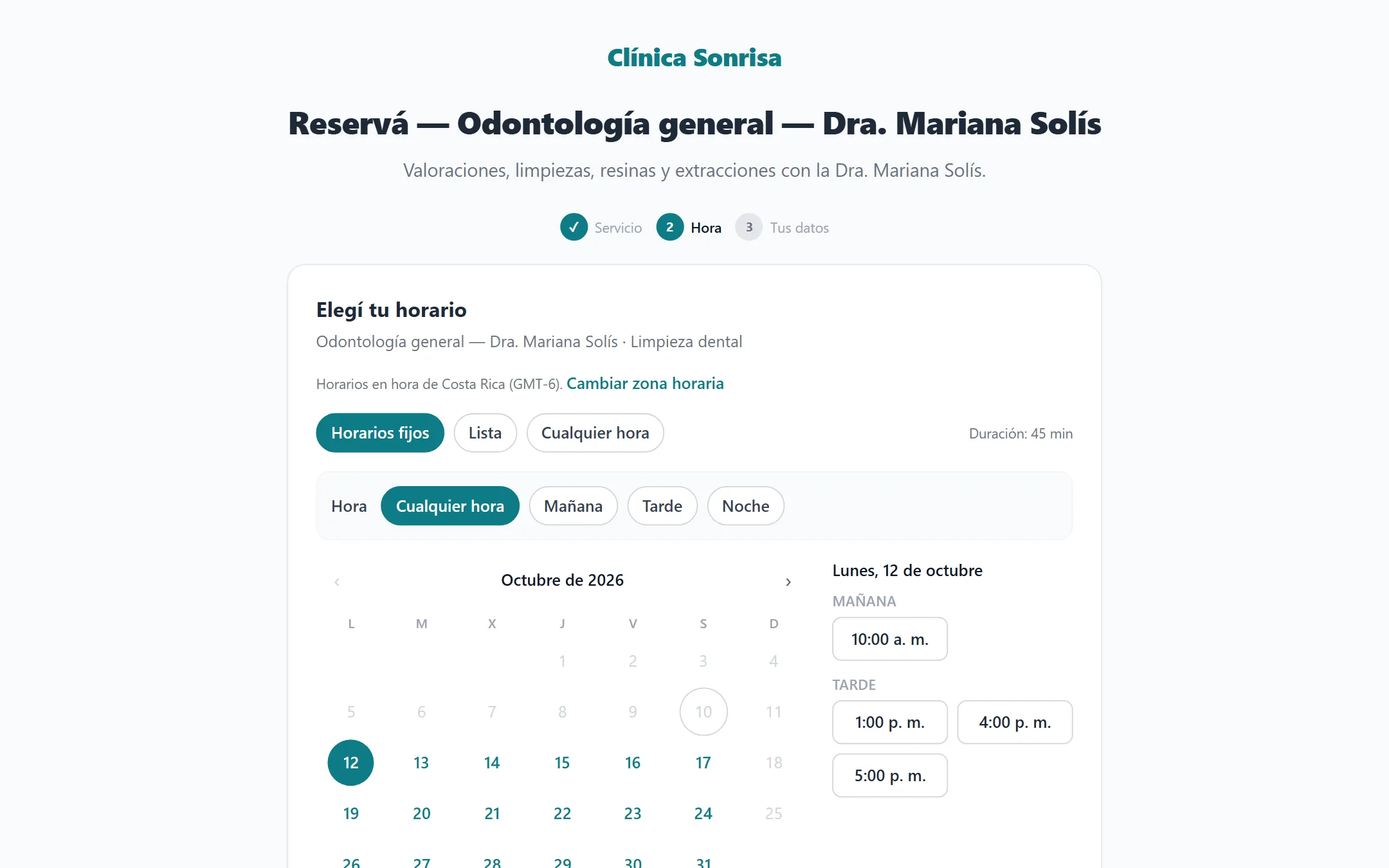
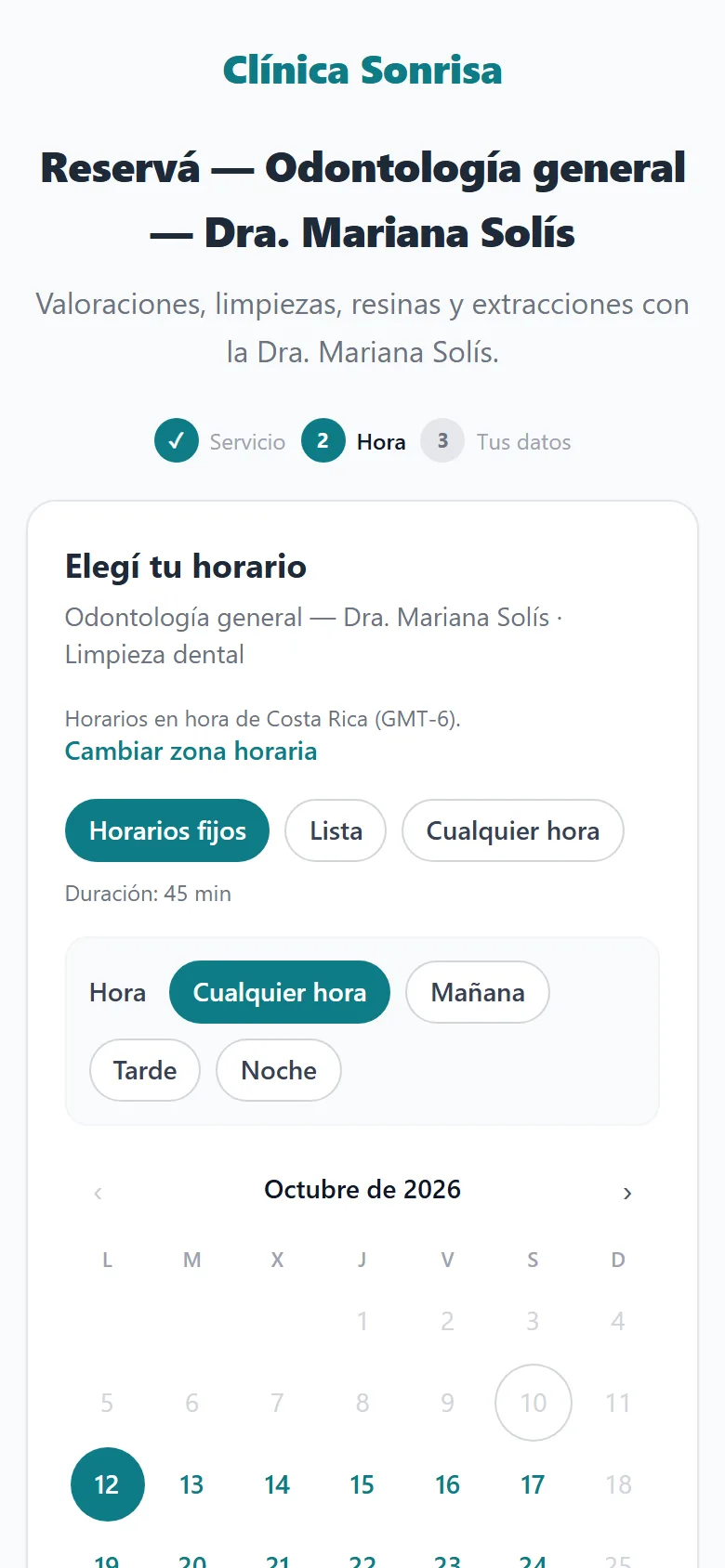
A booking page for each calendar.
Share the link in your bio, on your website or as a QR code, and your customer picks their time without writing to you.
- Its own address for each calendar, with your business name.
- If you prefer, use your own Google Calendar link: learn how to create it.
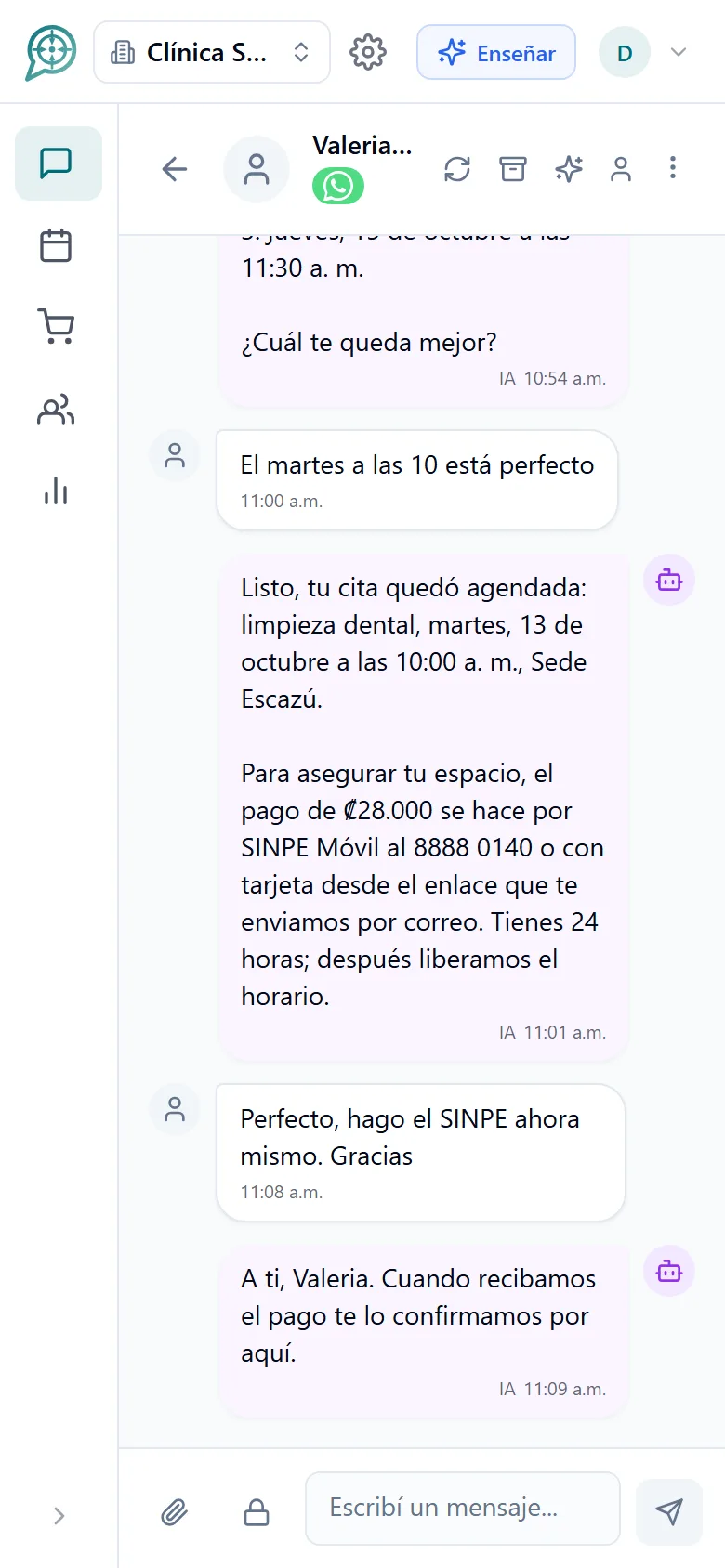
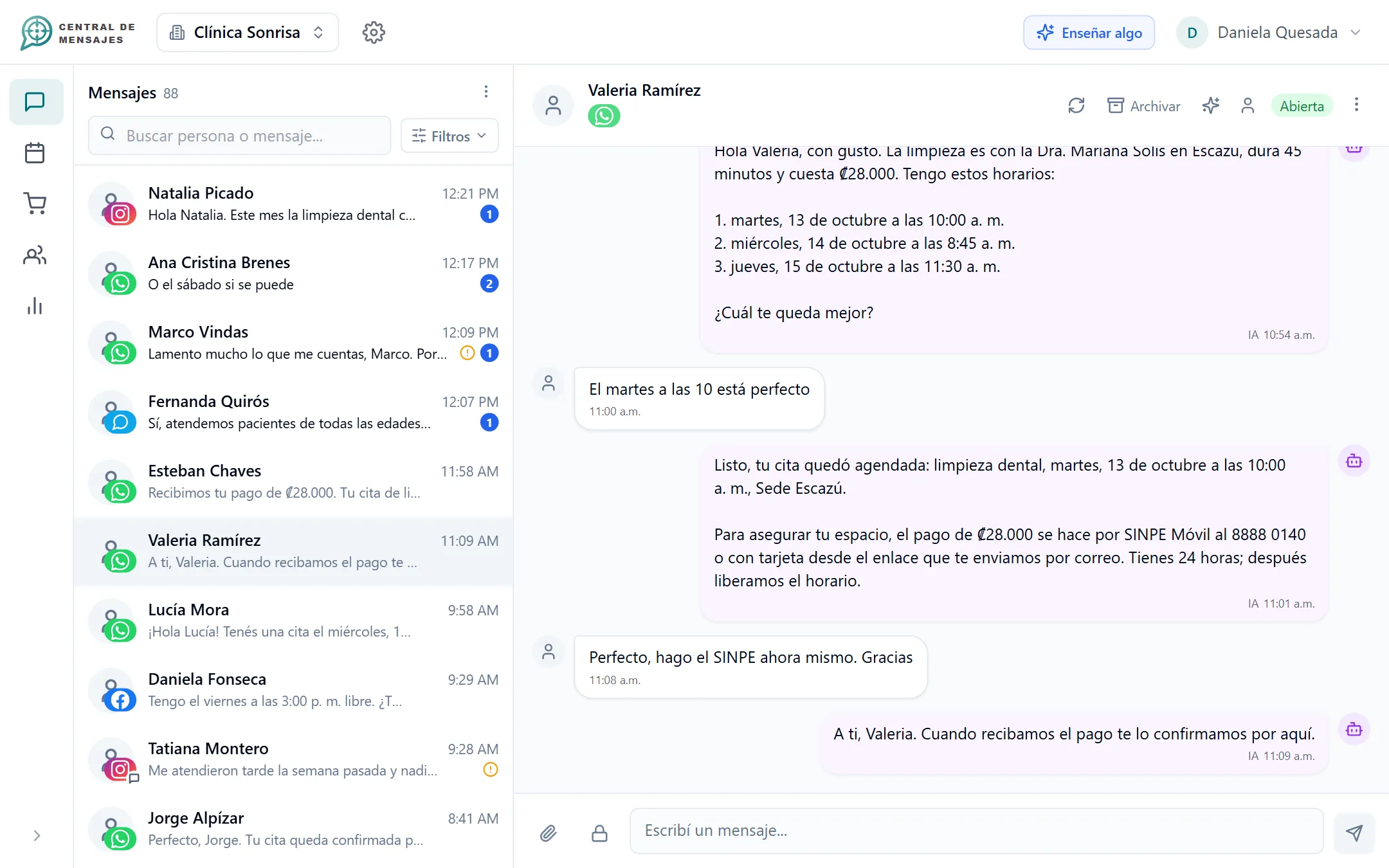
A real conversation, start to finish.
No forms and no menus. The customer writes the way they always do and the appointment is done.
Designed so you do not have to watch over it.

Reminders
Notify your customers before the appointment, as far ahead as you choose.
Confirmation by chat
It asks "are you confirming?" and releases the slot if nobody answers.

Your team, always in charge
The assistant never cancels or moves appointments: that is up to a person.

Scheduling 24/7
Your customers book at midnight or on a Sunday, without waiting for your reply.

Every appointment, on its contact
Who booked, through which channel and what was said, all in one place.

Several calendars and businesses
On the Enterprise plan, several calendars and several businesses in one account.
Frequently asked questions
Can the assistant cancel or move appointments?
No, on purpose. Releasing a slot or changing an appointment has real consequences, so a person on your team does it from the calendar, and the customer gets the notice in their conversation.
Do I need Google Calendar?
No. You can use the Central de Mensajes calendar as your calendar. If you already use Google Calendar, you can sync it and the appointments show up on both sides.
Can it book two appointments at the same time?
No. The assistant checks the existing appointments before offering each time and can only book one that it offered and that is still free.
What if the customer asks for a time outside my hours?
The assistant does not offer it: it proposes the nearest free alternatives or alerts your team if an exception is needed.
Does it work on WhatsApp, Instagram and Facebook?
Yes, and on your website web chat too. The same assistant and the same calendar on every channel.
Which plan includes scheduling?
Scheduling is in the $50 plan (which includes orders or scheduling, whichever you choose) and in the $100 plan (with reminders and confirmations in a centralized calendar). Several calendars are quoted case by case. We have not opened the paid plans yet: see the details on Pricing.


Organize your messages,
multiply your sales,
get your day back.
We are opening Central de Mensajes gradually. Message us and we will help you try it in your business. No contracts.
+1 321 386-0810 · 2-week free trial, no credit card · Support over WhatsApp