
Order tracking
for any business.
Butcher shop, bakery, clothing store, restaurant or workshop: if you sell by chat, every order has its number and its timeline, and your customer finds out at every step.
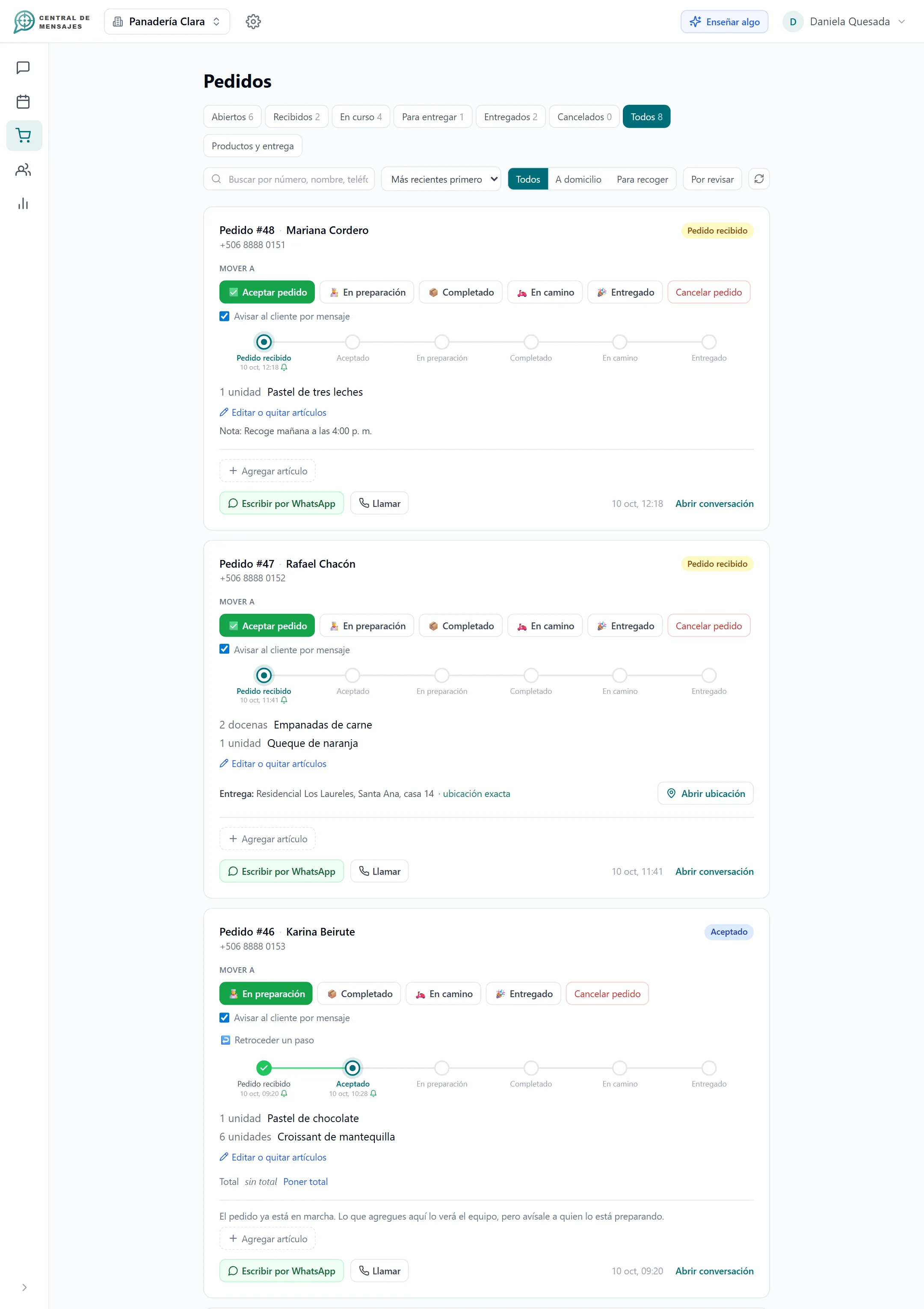
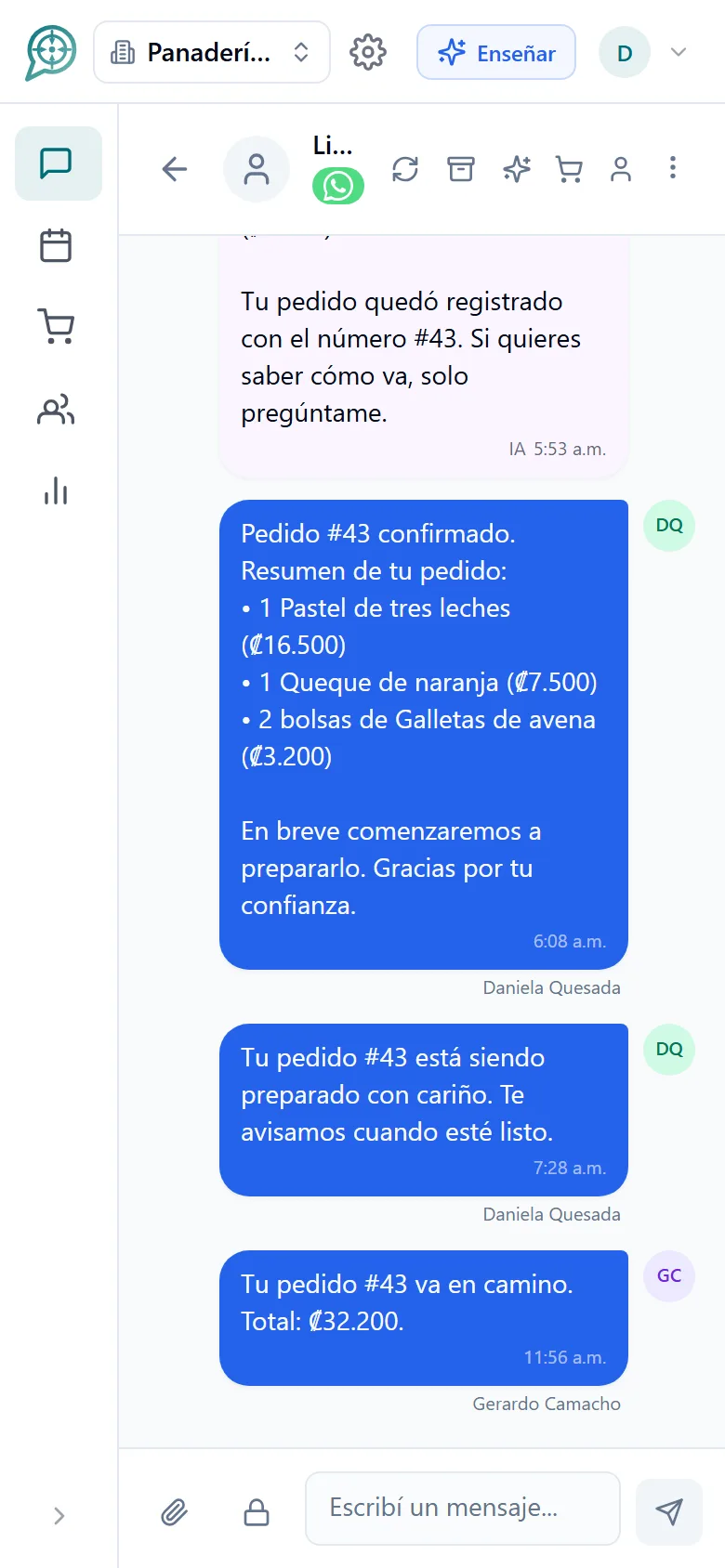
From the message to the delivery, in order.

You load your catalog
Your products and prices. It is the list the assistant quotes from, and never steps outside of.

The assistant takes the order
It asks for what is missing, notes down the order and gives the customer its number.

You move it forward and notify
You change the status and choose whether to tell the customer. That way they always know how theirs is going.
The assistant takes the order, you prepare it.
No transcribing messages and no orders lost between conversations.
- It asks for what is missing: quantities, delivery or pickup, and the address.
- It quotes from your price list. A price is never made up: if a product has no price it says "to be quoted".
- It announces the order number as soon as it registers it.
- The customer can change their order while it is still at "Order received".
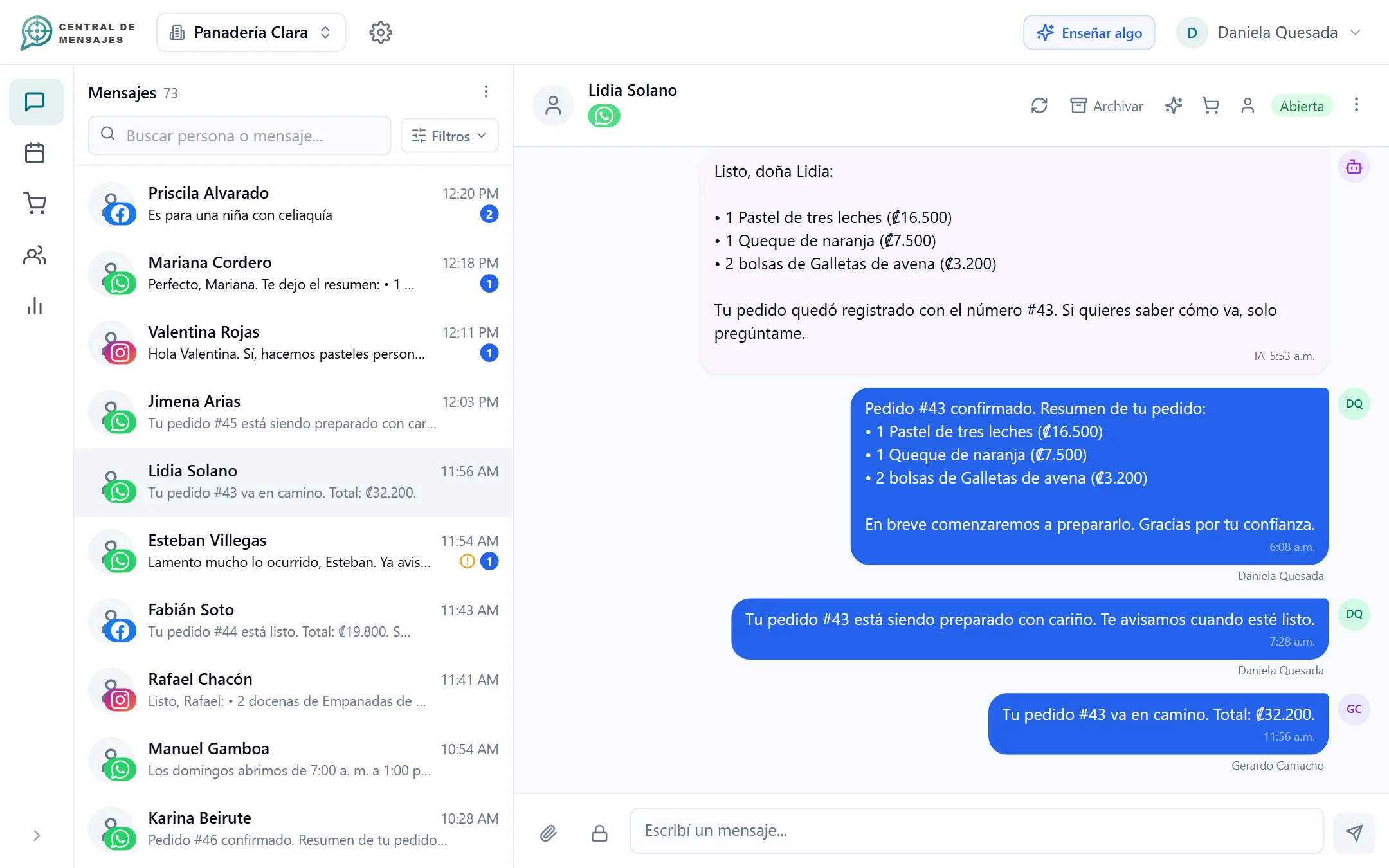
A board everyone understands.
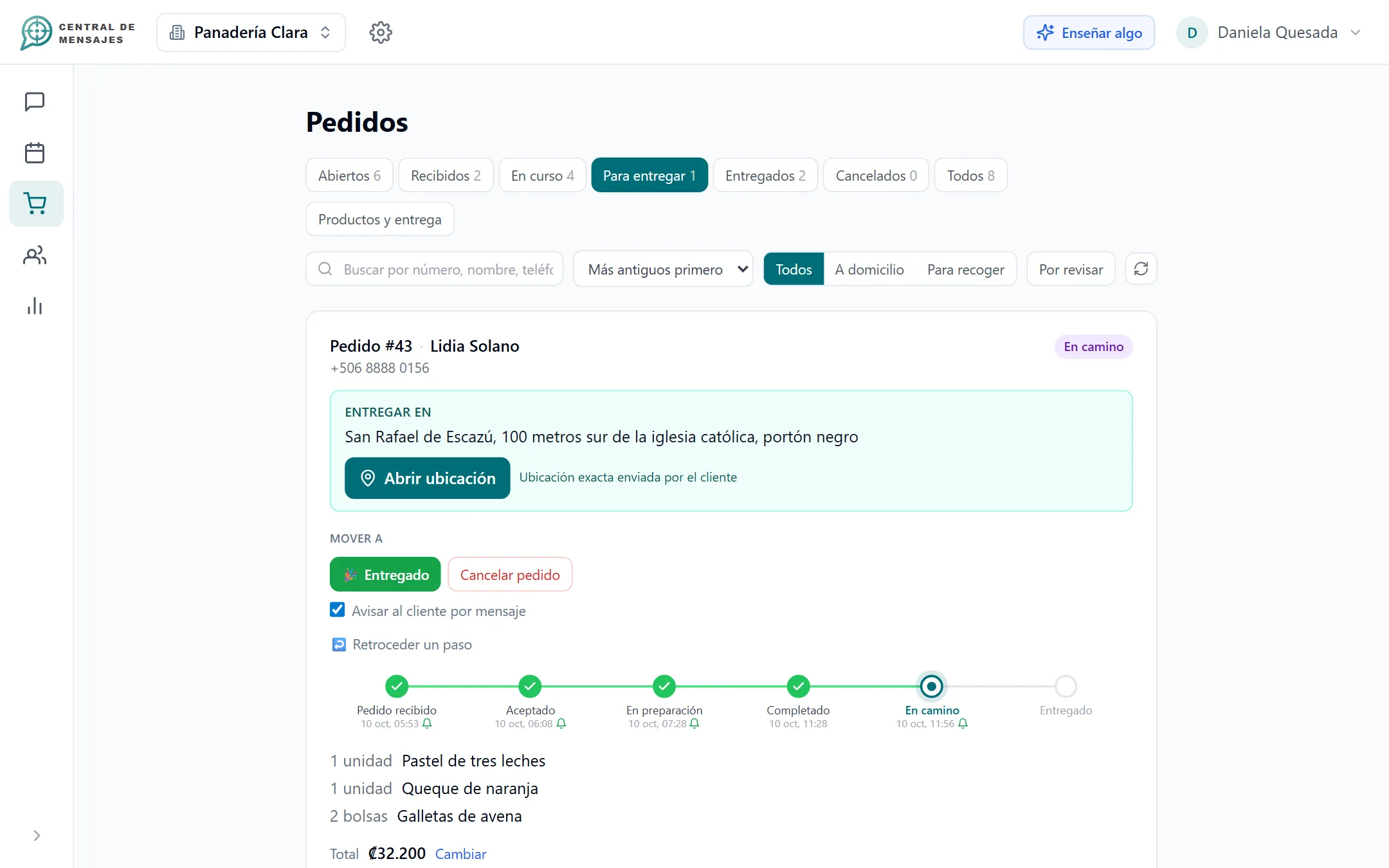
You see at a glance what came in, what is being prepared and what goes out today.
- Tabs and filters: delivery, pickup, to be delivered.
- Search by order number.
- Open orders from the same person are grouped together.
- Remove or change lines until the order is completed: "we ran out of steak".
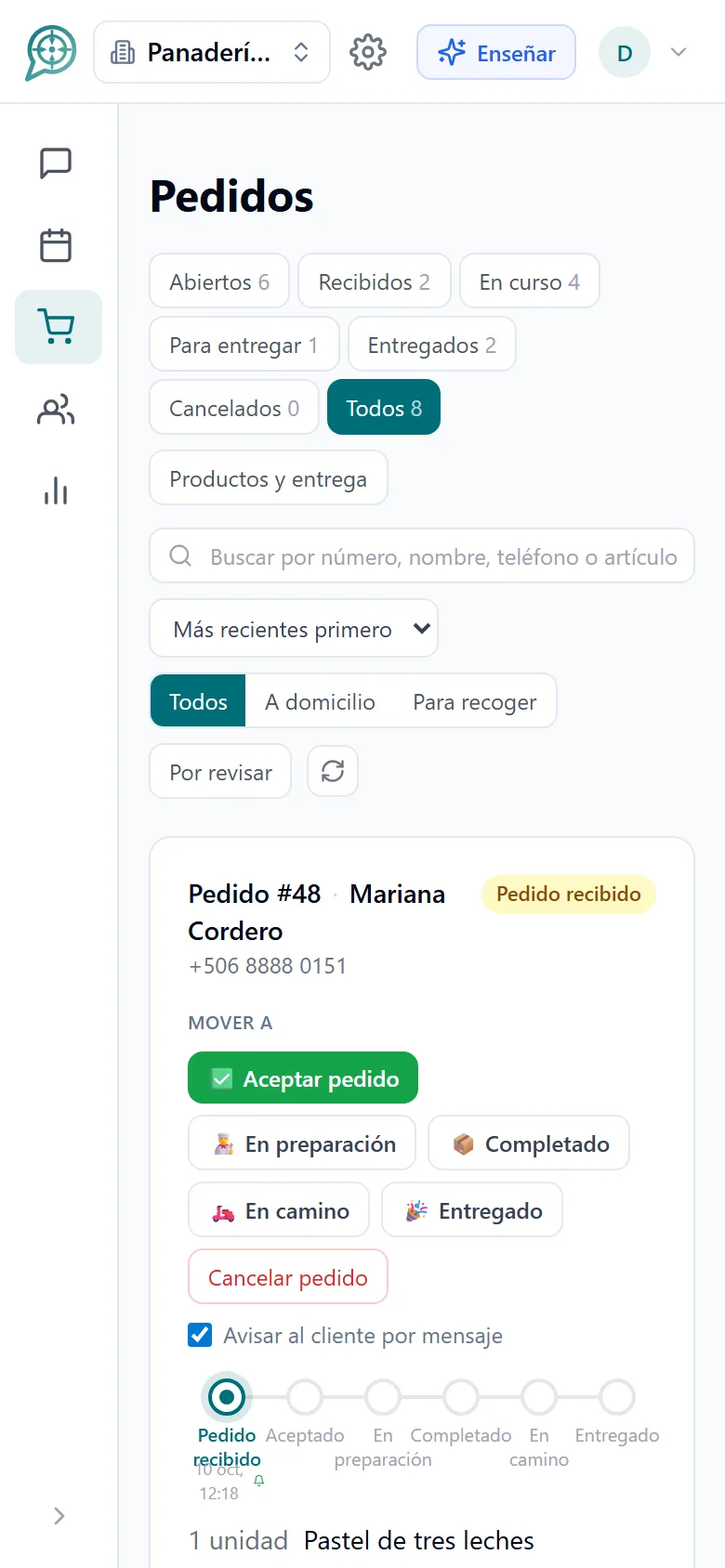
The location, ready for whoever delivers.
The assistant asks for the location once, together with the address, and never blocks the order because of it.
- It accepts the WhatsApp pin or a Google Maps link.
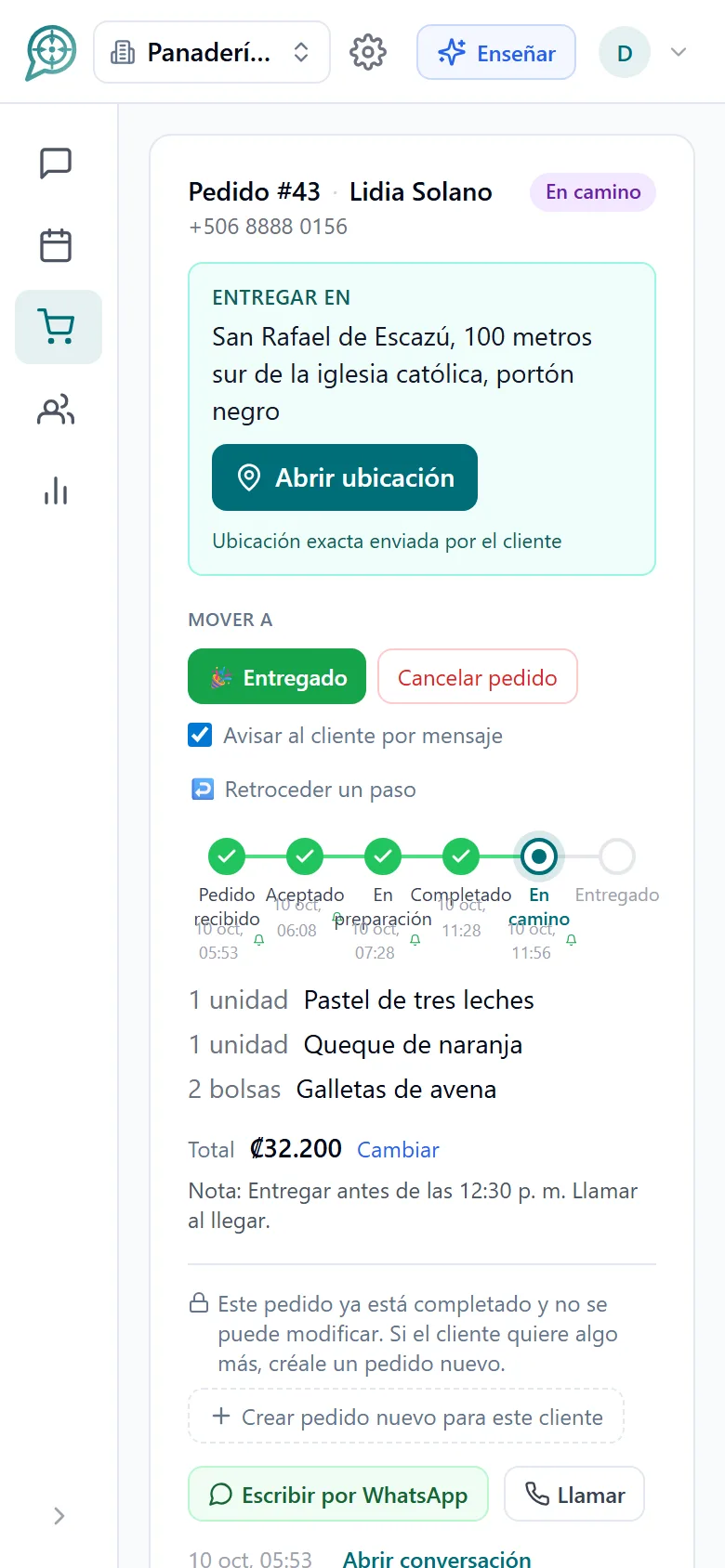
- A "Deliver to" block with an "Open location" button.
- The total is suggested from your catalog and you adjust it before notifying.
- You can add a note for the customer, for example why a product changed.
Fewer "how is my order going?" calls to your phone.
When the customer asks, the assistant answers with the real status of the order.
- Each update carries the order number and, if you want, the total and your note.
- It does not promise times it cannot keep.
- Once accepted, the order is locked for the customer: if they ask for something more, the assistant offers a separate order and your team decides whether to merge them.
Every order knows which step it is on.
You move the status forward with a tap and choose whether to notify the customer. You can skip steps or correct one without bothering them.
- Order received
- Accepted
- Being prepared
- Completed
- On the way
- Delivered
For pickup orders, the path ends at Completed.
Simple on purpose.

Board by status
The whole team sees the same thing, with no spreadsheets or notebooks.

Deliveries with a map
The customer’s location one tap away.

Updates by chat
Statuses sent in the conversation where they ordered, with no extra apps.

History per customer
Every order stays on the contact, with what they buy and where.
Catalog and prices
You mark what is on sale today. We do not keep a stock count.

The whole team
Several people handling orders at the same time, with their roles.
Frequently asked questions
Does it work for my type of business?
It works for any business that receives orders by chat: butcher shops, bakeries, restaurants, clothing stores, florists, workshops with parts and more.
Does it keep inventory?
No, on purpose. We do not keep a stock count that ends up out of date. You maintain the list of products and prices and mark what is available to sell today.
Can the customer change their order?
While the order is at "Order received", yes. Once your team accepts it, it is locked; if the customer asks for something more, the assistant offers them a separate order and your team decides whether to merge it with the previous one.
Do I have to notify the customer at every step?
No. At each status change you choose whether they are notified or not. Correcting a status never sends them messages.
Does it work for both delivery and pickup?
Yes. Orders with an address or location are treated as deliveries, with their "Deliver to" block and their tab of orders to be delivered; the rest are for pickup.
Can I charge for orders?
Online payment is currently available for appointment bookings. See how it works.


Organize your messages,
multiply your sales,
get your day back.
We are opening Central de Mensajes gradually. Message us and we will help you try it in your business. No contracts.
+1 321 386-0810 · 2-week free trial, no credit card · Support over WhatsApp